How to check domain authority of any website (free, in 3 ways)
Updated
The short answer
To check domain authority, enter the website's address into a free domain authority checker and read the Moz DA score from 1 to 100. Type the root domain, such as example.com, rather than a full page URL. To check many websites, paste them into a bulk checker. Then compare the score with competing sites, not with an ideal number.
Key facts
- Enter the root domain (example.com), not a single page, to get domain authority.
- A full page URL gives you Page Authority, which scores just that page.
- Bulk checking is the fastest way to vet guest post or link prospect lists.
- Always read DA next to Spam Score and Trust Flow before trusting a site.
- Scores from Moz, Ahrefs and Semrush differ, so compare within one tool.
Method 1: check one website
This is what most people need. You want to know the DA of your own site, a competitor or a site offering you a guest post. Here's the quickest way to do it:
- Open the free domain authority checker.
- Type the domain, for example example.com. You can paste a full URL; the checker trims it to the domain for you.
- Press Check authority and wait a few seconds for the report.
- Read the Moz Domain Authority gauge, then scroll for Page Authority, Spam Score, Trust Flow, backlinks and domain age.
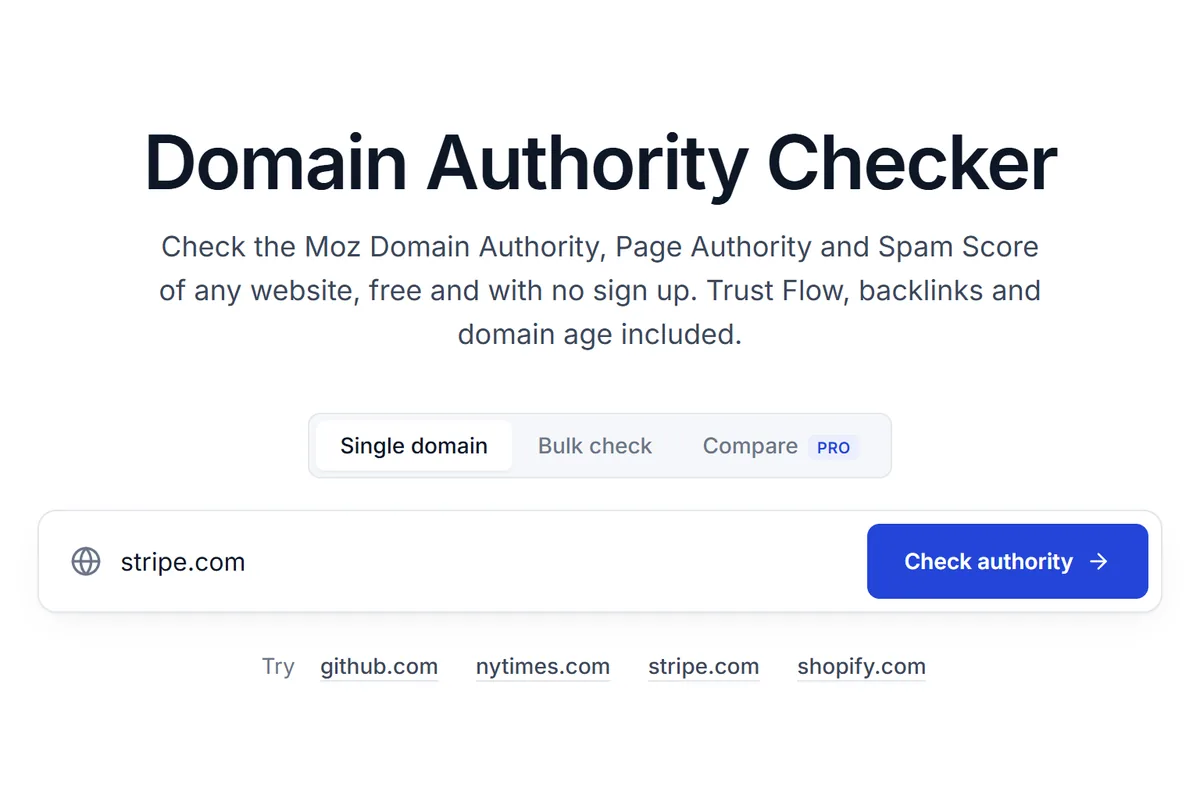
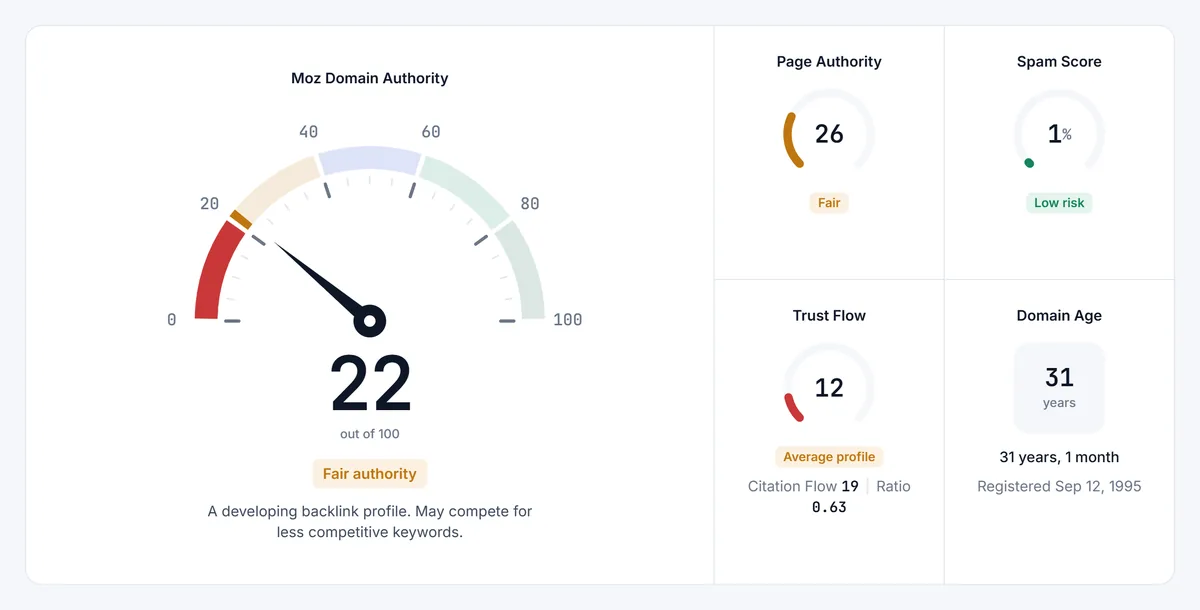

You don't need an account for this. Everyone gets 10 free domain checks a day, and opening the same domain again on the same day doesn't count twice. If you want the numbers somewhere else, the report has Copy result, CSV and image download buttons.
Method 2: check domain authority in bulk
Checking sites one at a time gets old fast when you're vetting a list of 40 guest post offers or building outreach prospects. Bulk checking scores the whole list in one go and puts the results in a table you can sort.
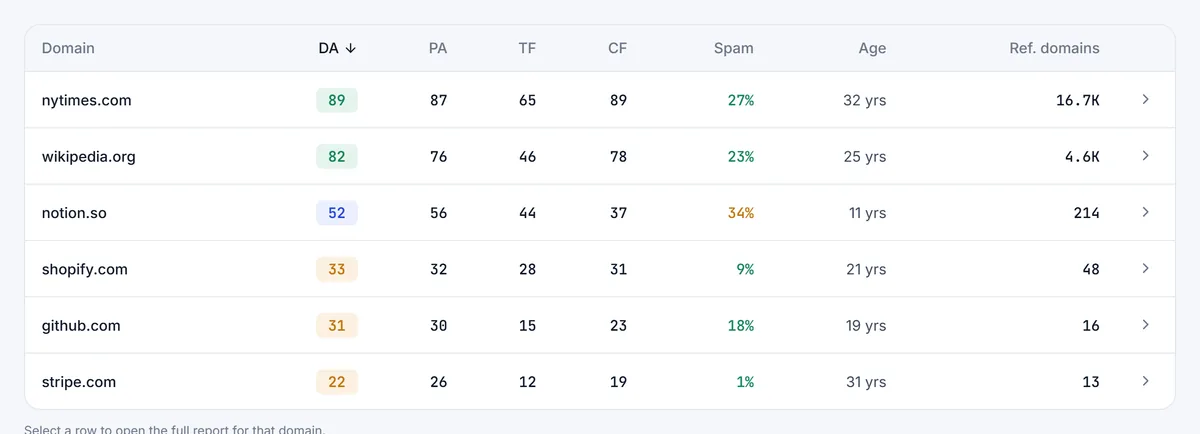
Paste your domains into the bulk domain authority checker, one per line or separated by commas. Free users can run 10 at a time. Check packs raise that to 30, 100 or 250 domains per run. Sort by DA, Trust Flow or Spam Score, then export to CSV or copy the table straight into Google Sheets.
Our practical tip: sort by Spam Score first, not DA. Throw out anything that looks risky, then rank what's left by authority. You'll skip a lot of sites that only look strong because someone pumped their DA.
Method 3: compare several sites side by side
Sometimes you need a verdict, not a list. If you're choosing between three sites for a sponsored post, or sizing up the top results for a keyword, a side by side view makes the winner obvious on every metric.
The compare tool puts up to 4 domains in one table and highlights the best value in each row. It's a paid feature, and each domain in a comparison uses one check from your pack.
Domain authority vs page authority: which number to check
This trips up a lot of people. Domain authority scores the whole site. Page Authority scores one page. When you're judging whether a website is worth a link, DA is the number you want. When you're judging whether you can outrank a specific article, look at the PA of that article and the DA of its site together.
| You want to know | Check | Enter |
|---|---|---|
| How strong a whole website is | Domain Authority | example.com |
| How strong one competing page is | Page Authority | The full URL of that page |
| Whether a site's links look natural | Spam Score and Trust Flow | example.com |
| How long a domain has existed | Domain age (WHOIS) | example.com |
More on reading PA, including why a new post on a strong site often ranks fast, is in our page authority guide.
How to read the result
A DA score is only meaningful next to other scores. Before you decide anything, look up the sites already ranking for your keyword and note their range. If they sit at 20 to 35 and you're at 28, you can compete. If they're all above 70 and you're at 15, pick a longer, more specific keyword for now.
Then look past the headline number. These are the checks we run on every site before trusting it:
- Spam Score: under 30% is low risk. Above 60% means you should look closely at the site's links and content.
- Trust Flow vs Citation Flow: a Trust Flow far below Citation Flow often means lots of links but few trusted ones.
- Referring domains: DA 40 with only 50 referring domains is a red flag for a manipulated profile.
- Domain age: a very young domain with a high DA deserves a second look.
- Topical Trust Flow: a pet blog whose strongest topic is gambling isn't the link you want.
If these numbers are new to you, our guide to what counts as a good domain authority gives ranges for each kind of site.
Why different tools show different numbers
If you check the same site in three tools, you'll usually get three numbers. That's expected. Moz reports Domain Authority. Ahrefs reports Domain Rating. Semrush reports Authority Score. Majestic reports Trust Flow and Citation Flow. Each comes from a different crawler and a different formula.
So when someone asks how to check domain authority on Ahrefs or Semrush, the honest answer is that those tools don't show Moz DA. They show their own metric. Pick one metric, use it for every site you compare, and you'll get consistent decisions. Our breakdown of DA vs DR vs Trust Flow explains exactly what each one measures.
Common mistakes when checking domain authority
- Checking a page URL and calling it DA. A blog post URL gives you that page's strength, not the site's.
- Mixing www and non-www or subdomains. blog.example.com and example.com can have different link profiles. Check the version you care about.
- Treating one check as permanent. DA moves as Moz recalculates. Re-check before a big decision.
- Trusting a screenshot from a seller. Check the domain yourself. Screenshots get edited and scores get pumped.
- Ignoring relevance. A DA 70 site in an unrelated niche can be worth less to you than a DA 30 site in your exact niche.
What to do after you check
If your own score is lower than the sites you compete with, the gap is almost always about links from relevant, trusted websites. Our guide on how to increase domain authority lays out the steps that actually move the number, and the ones that waste money.
If you're checking other people's sites, save the CSV and re-run the list every month or two. Sites that drop sharply or whose Spam Score jumps are telling you something about how they earn links.
Common questions
How do I check my domain authority for free?
Enter your domain into a free domain authority checker. On this site you get 10 free checks a day without signing up, with Moz DA, Page Authority, Spam Score, Trust Flow and domain age in one report.
Can I check domain authority on Google?
No. Google doesn't publish a domain authority score and doesn't use Moz DA. Any tool called a Google domain authority checker is showing a third party metric such as Moz DA.
Is there a Chrome extension to check domain authority?
Moz offers the MozBar extension. We don't have an extension yet; you can check any domain from the website on desktop or mobile.
How many domains can I check at once?
Free users can bulk check 10 domains per run. With a check pack, the limit rises to 30, 100 or 250 domains per run depending on the pack.
Why does my site show a domain authority of 1?
Every new site starts at 1. It usually means Moz hasn't found links to the site yet, or the domain is brand new. The score rises as Moz discovers links from other websites.